Role-based access control using Next.js middleware
May 5, 2024 · 6 min read · #nextjs #authentication #web-engineering

In this article we will explore an approach to implementing Role-Based Access control using Middlewares when multiple user types exist in a Next.js application.
Ideally, you should be familiar with the following:
- React.js (Beginner)
- Next.js (Beginner)
- TypeScript (Beginner)
- JSON Web Tokens (JWT's) or OAUTH2.0
The Problem
Setup 1: A frontend system must integrate with an Application Programming Interface(API)💻 that has multiple User Roles.
- STUDENT 🎓
- TEACHER 🏫
- ADMIN 💼
- ...(Any other roles)
Setup 2: An authentication system using JSON WEB TOKENS(JWT's) or an OAUTH2.0 scheme.
Goal: A robust access control system (Authorization-after-Authentication) where access is granted strictly based on a users role.
-> What this means?
- A Student cannot access any endpoint not in the student whitelist.
Definitions
What is Role-Based Access Control?
Role-Based Access Control (RBAC) is a method of restricting network access(in our case Page📃 Access) based on the roles of individual users within an organization. Learn More
What are JSON Web Tokens?
JWT (JSON Web Token) is a compact, URL-safe token format that can be used for authentication in web applications. Learn More
Typical workflow:
- User logs in.
- The server creates a JWT containing user information (We inject the Role in the Payload) and signs it with a secret key.
- JWT is then sent to the client, which stores it.
- For subsequent requests, the client includes the JWT in the request headers. The server verifies the JWT's signature, extracts the user information, and uses it to authenticate the user and authorize access to protected resources.
Next.JS Middlewares
Next.js middleware allows us to run code before a request is completed. Then, based on the incoming request, we can modify the response by rewriting, redirecting, modifying the (request or response headers), or (responding directly). Learn More
Prerequisites
You should have following to follow with this walkthrough:
- Instructions for Node.js installation here.
- View the completed Github Repository
Let's Begin
Firstly, we initialize an empty Next.js project:
npx create-next-app@14 rbaccessnext
Accept all the default configurations.
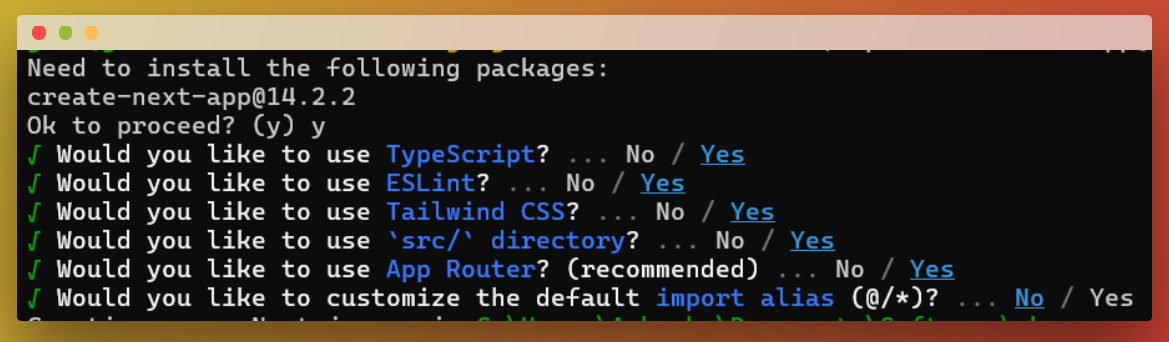
Voila, now let's run our created project:
cd rbaccessnext
npm run dev
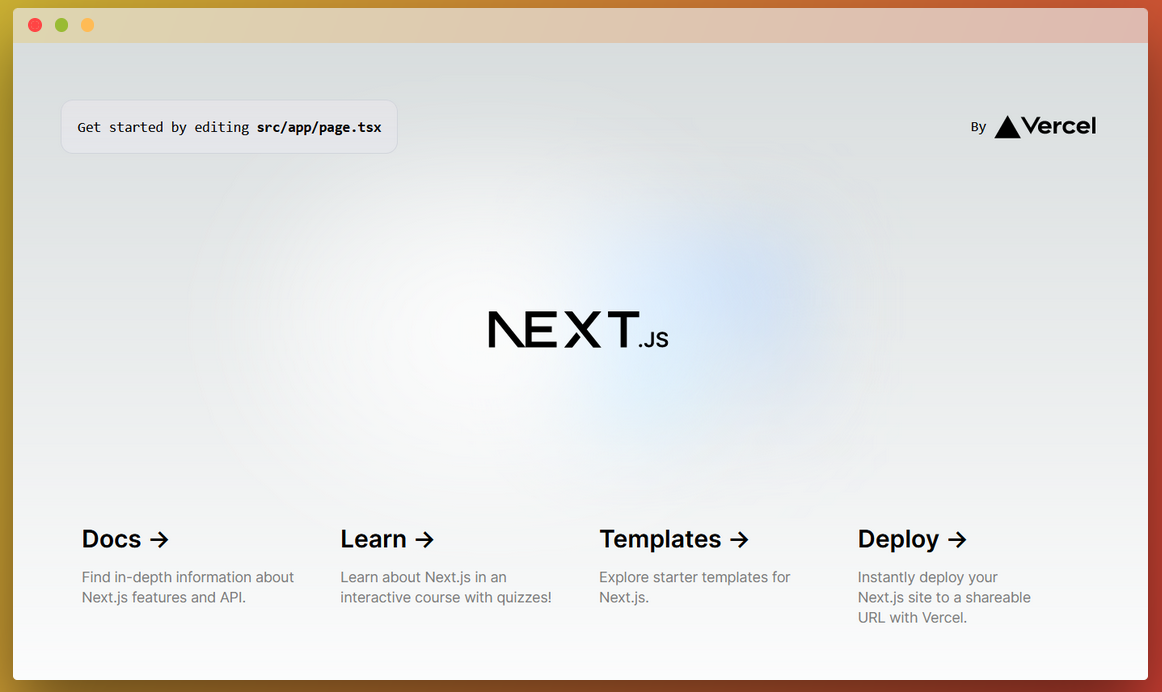
We have our beautiful default landing page:
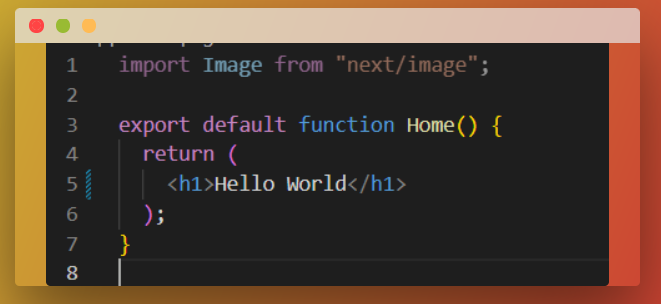
Let's clean up this boiler plate:
- Delete all non-
.tsxfiles from /app - Delete all references from page.tsx and layout.tsx
Creating Routes
Since we are using App Router, given that we installed Next.js version 14:
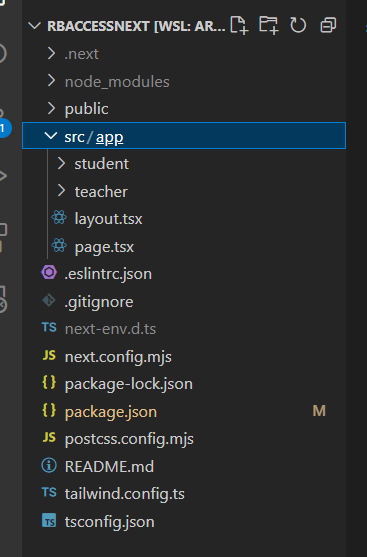
- Let's create 2 folders in the src/app folder: (student / teacher)
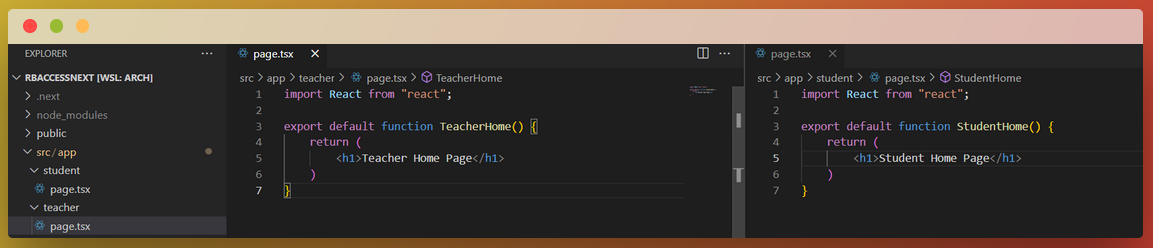
- Let's create a file in both folders page.tsx
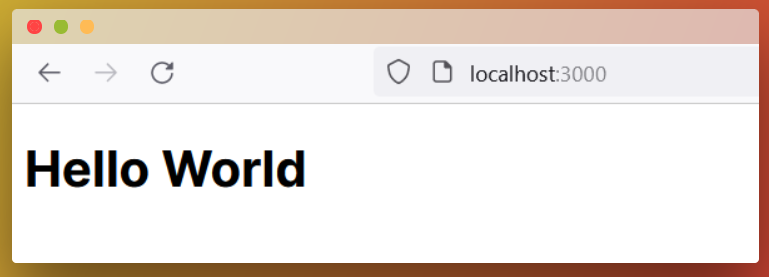
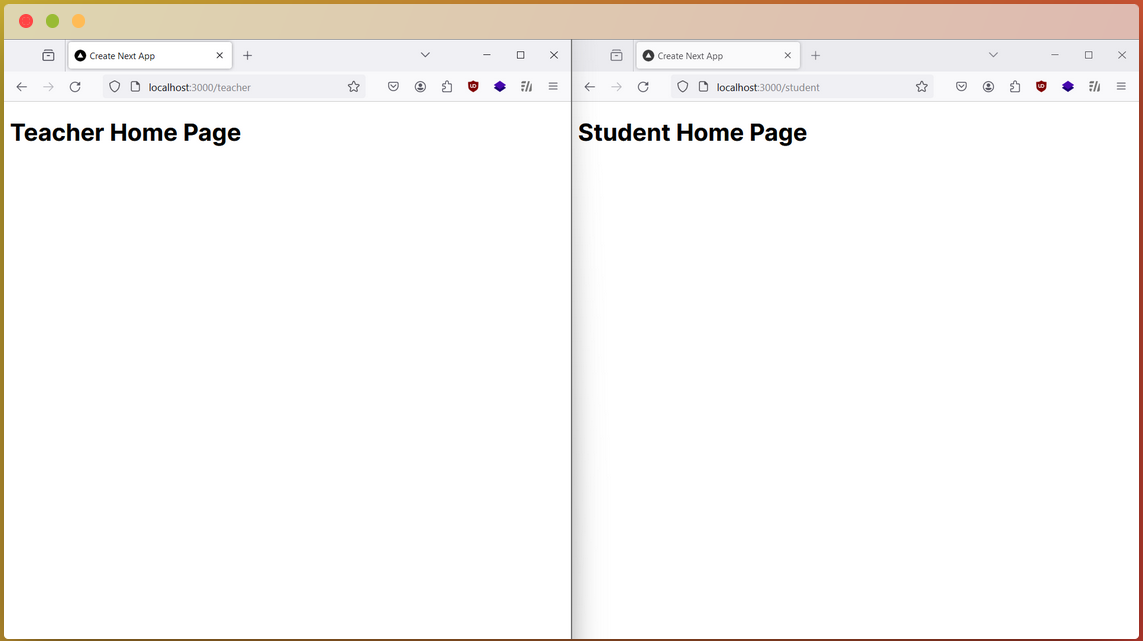
- Now let's test these changes on the browser by visiting /student and /teacher
Middleware Setup and Code
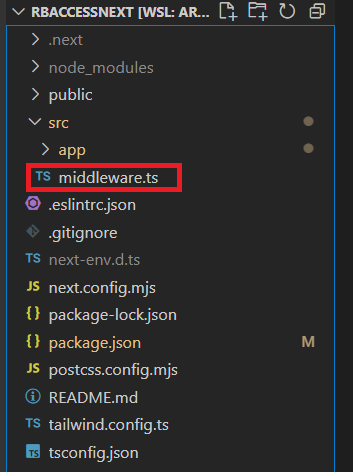
Firstly, we create a middleware.ts file in the src diretory
Next we add some necessary packages to work with JWT's and Cookies in Next.js.
The packages are
- cookies-next: Checking for cookie existence / Deletion of cookies on expiry.
- dayjs: Useful to check if token has expired.
- jwt-decode: Useful to decode the contents of the Payload contained in a JWT
npm i cookies-next dayjs jwt-decode
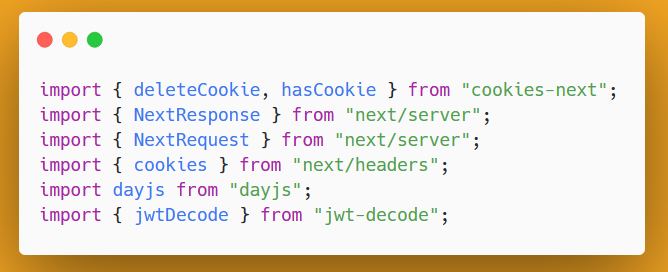
We then advance to importing some required packages:
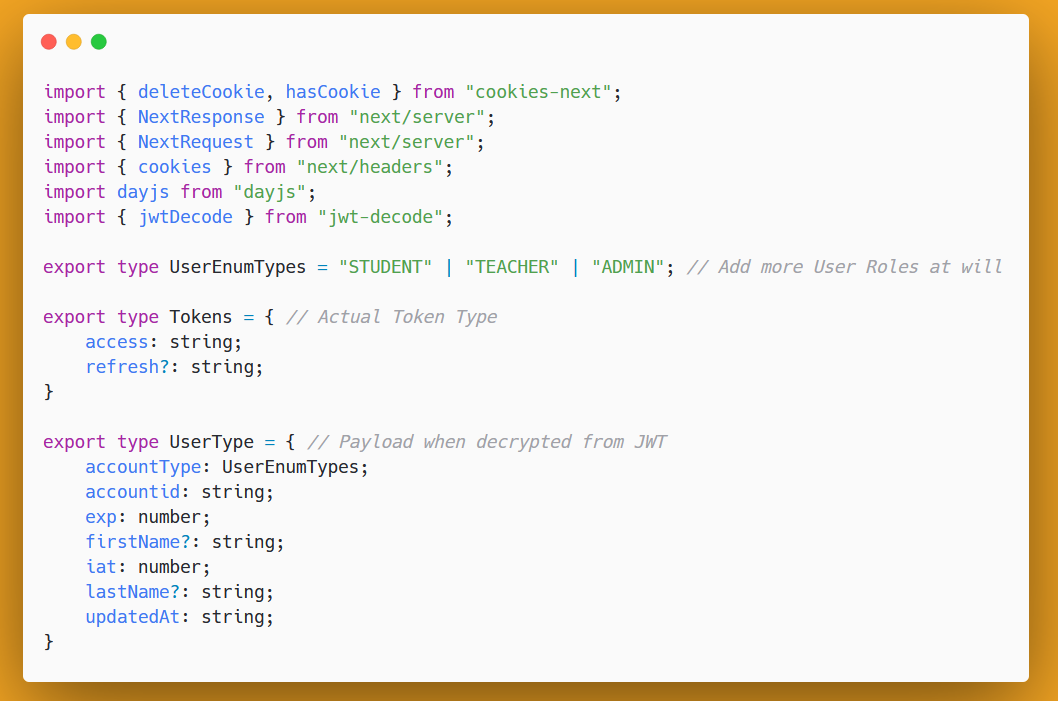
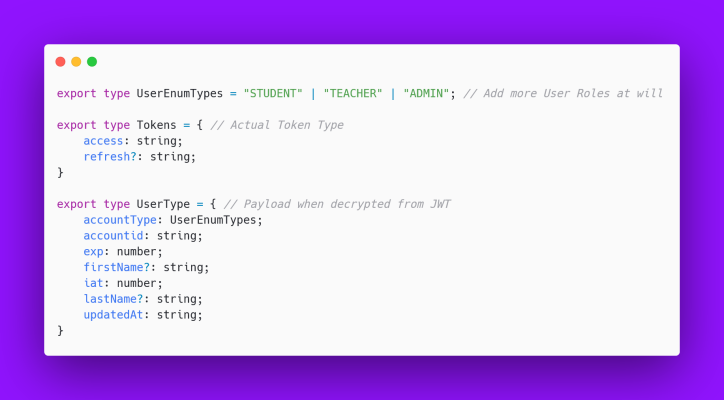
Next we define some types in TypeScript:
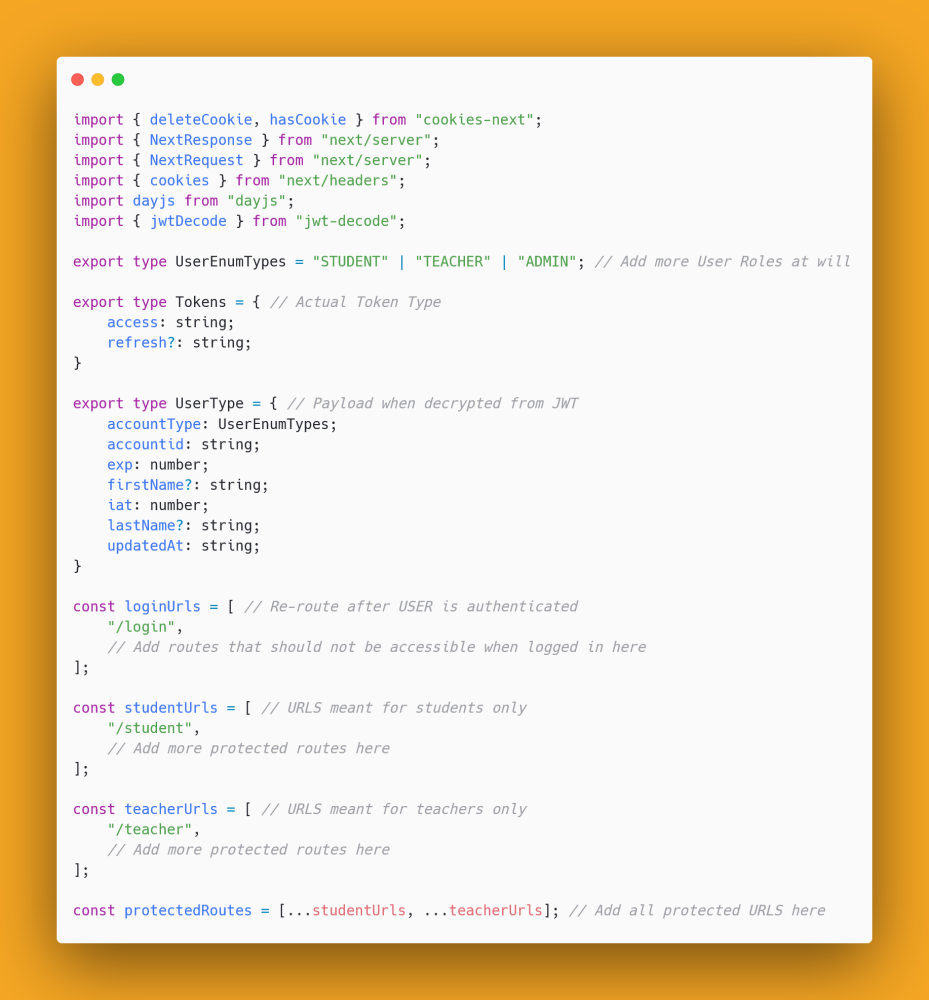
Next we define some variables (loginURLS, teacherURLS, studentURLS, protectedURLS) at the Top level to help with page restrictions
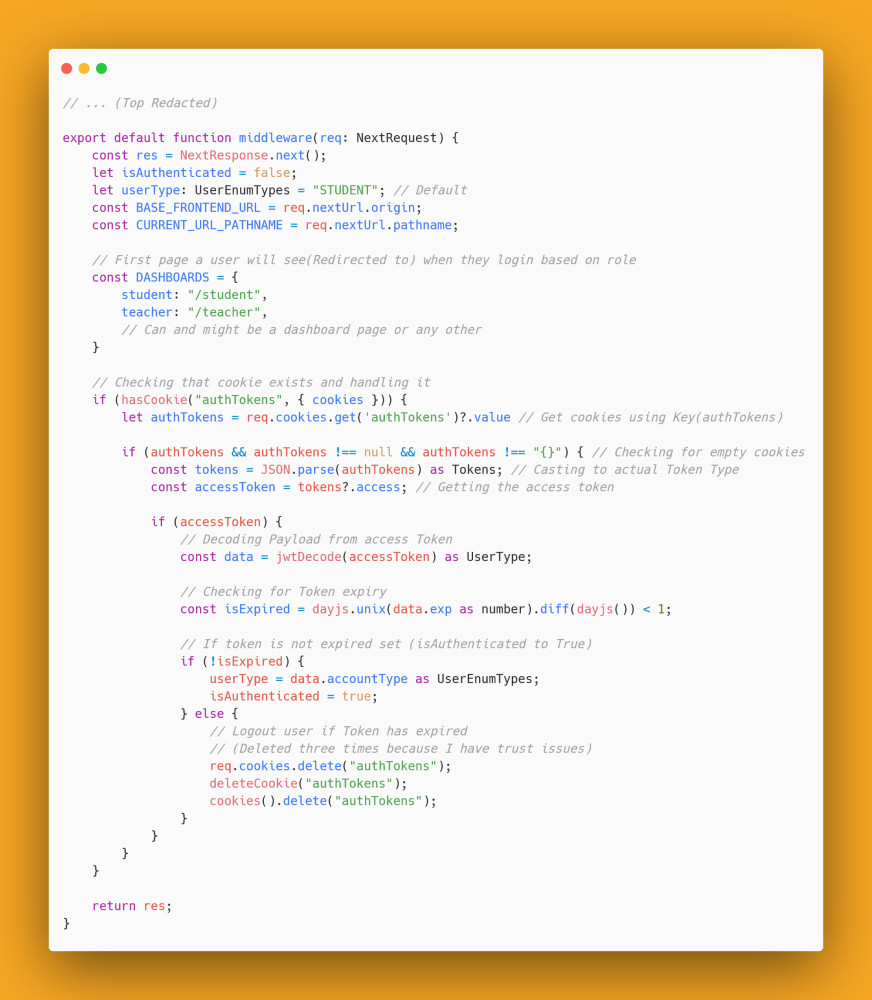
Finally, we get to defining the actual middleware😤, the typical structure for middlewares in NextJS is
export default function middleware(req: NextRequest) {
    const res = NextResponse.next();

    return res;
}
The following middeware logic below from which we will build on handles:
- Deleting TOKEN from cookies when JWT is expired
- Setting isAuthenticated to True if user is LoggedIn
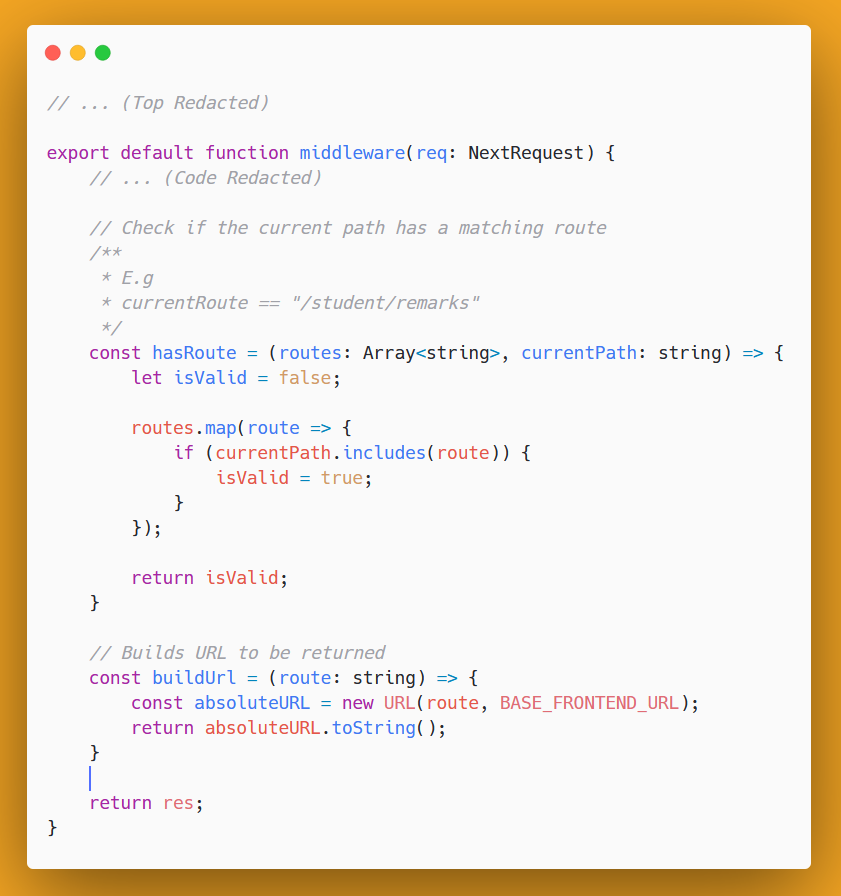
After this, we define two functions below to do the following:
- If a PATH has a given route we defined
- Build an Absolute URL to be returned and used because of NextResponse.redirect()
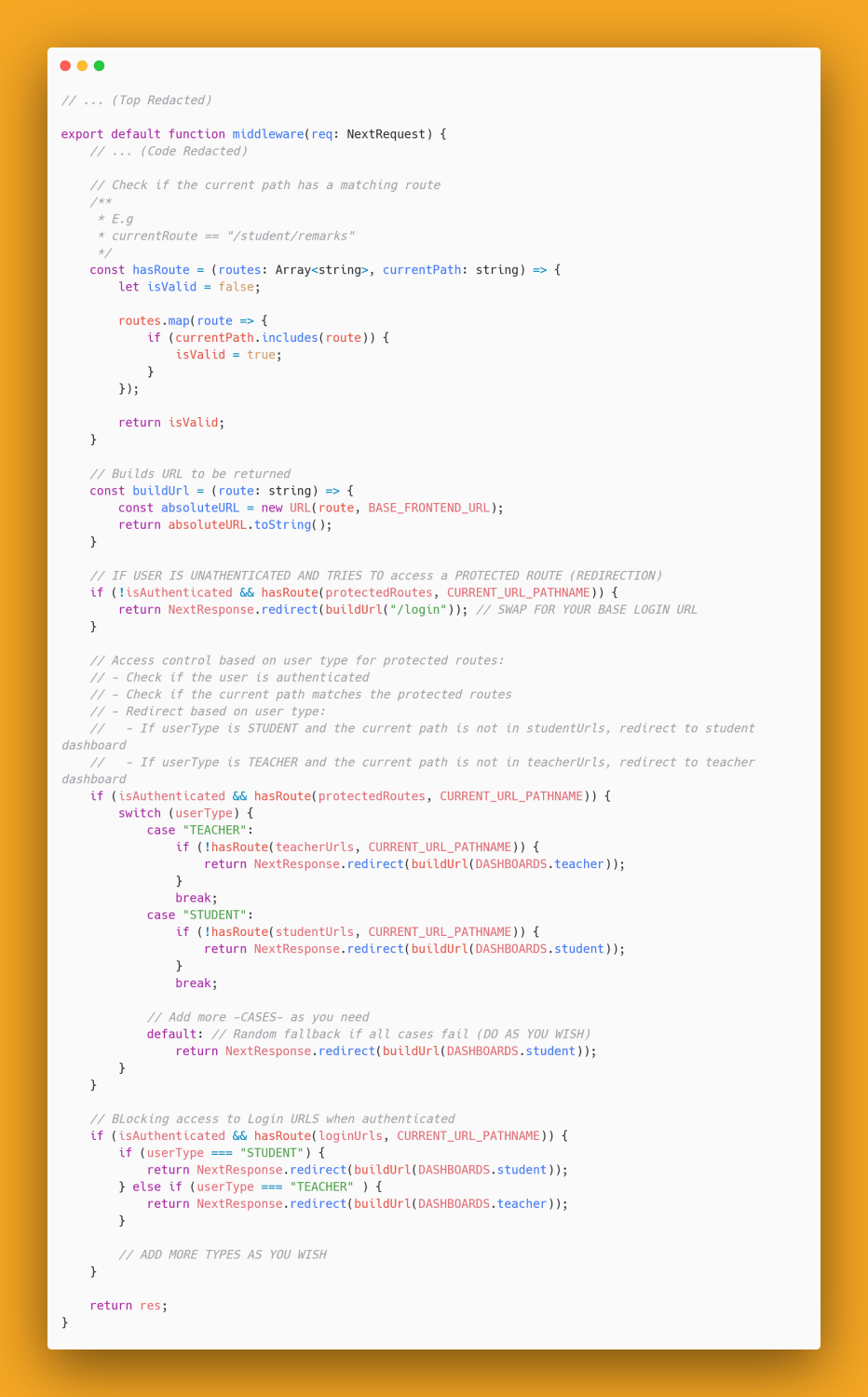
Lastly, we handle the actual redirection of users based on the isAuthenticated variable and other things defined above. The below image does the following:
- Blocks access to specific URLS (loginURLS) if the user is AUTHENTICATED
- Redirects user to their DASHBOARD if they try to access pages that are not in their allowed WHITELISTED pages
- Redirects a user to LOGIN PAGE if UNAUTHENTICATED
Yayy🍃, we are done.
The completed code is attached below, brace yourself:)
import { deleteCookie, hasCookie } from "cookies-next";
import { NextResponse } from "next/server";
import { NextRequest } from "next/server";
import { cookies } from "next/headers";
import dayjs from "dayjs";
import { jwtDecode } from "jwt-decode";

export type UserEnumTypes = "STUDENT" | "TEACHER" | "ADMIN"; // Add more User Roles at will

export type Tokens = { // Actual Token Type
    access: string;
    refresh?: string;
}

export type UserType = { // Payload when decrypted from JWT
    accountType: UserEnumTypes;
    accountid: string;
    exp: number;
    firstName?: string;
    iat: number;
    lastName?: string;
    updatedAt: string;
}

const loginUrls = [ // Re-route after USER is authenticated
    "/login",
    // Add routes that should not be accessible when logged in here
];

const studentUrls = [ // URLS meant for students only
    "/student",
    // Add more protected routes here
];

const teacherUrls = [ // URLS meant for teachers only
    "/teacher",
    // Add more protected routes here
];

const protectedRoutes = [...studentUrls, ...teacherUrls]; // Add all protected URLS here

export default function middleware(req: NextRequest) {
    const res = NextResponse.next();
    let isAuthenticated = false;
    let userType: UserEnumTypes = "STUDENT"; // Default
    const BASE_FRONTEND_URL = req.nextUrl.origin;
    const CURRENT_URL_PATHNAME = req.nextUrl.pathname;

    // First page a user will see(Redirected to) when they login based on role
    const DASHBOARDS = {
        student: "/student",
        teacher: "/teacher",
        // Can and might be a dashboard page or any other
    }

    // Checking that cookie exists and handling it
    if (hasCookie("authTokens", { cookies })) {
        let authTokens = req.cookies.get('authTokens')?.value // Get cookies using Key(authTokens)

        if (authTokens && authTokens !== null && authTokens !== "{}") { // Checking for empty cookies
            const tokens = JSON.parse(authTokens) as Tokens; // Casting to actual Token Type
            const accessToken = tokens?.access; // Getting the access token

            if (accessToken) {
                // Decoding Payload from access Token
                const data = jwtDecode(accessToken) as UserType;

                // Checking for Token expiry
                const isExpired = dayjs.unix(data.exp as number).diff(dayjs()) < 1;

                // If token is not expired set (isAuthenticated to True)
                if (!isExpired) {
                    userType = data.accountType as UserEnumTypes;
                    isAuthenticated = true;
                } else {
                    // Logout user if Token has expired
                    // (Deleted three times because I have trust issues)
                    req.cookies.delete("authTokens");
                    deleteCookie("authTokens");
                    cookies().delete("authTokens");
                }
            }
        }
    }

    // Check if the current path has a matching route
    /**
     * E.g
     * currentRoute == "/student/remarks"
     */
    const hasRoute = (routes: Array<string>, currentPath: string) => {
        let isValid = false;

        routes.map(route => {
            if (currentPath.includes(route)) {
                isValid = true;
            }
        });

        return isValid;
    }

    // Builds URL to be returned
    const buildUrl = (route: string) => {
        const absoluteURL = new URL(route, BASE_FRONTEND_URL);
        return absoluteURL.toString();
    }

    // IF USER IS UNATHENTICATED AND TRIES TO access a PROTECTED ROUTE (REDIRECTION)
    if (!isAuthenticated && hasRoute(protectedRoutes, CURRENT_URL_PATHNAME)) {
        return NextResponse.redirect(buildUrl("/login")); // SWAP FOR YOUR BASE LOGIN URL
    }

    // Access control based on user type for protected routes:
    // - Check if the user is authenticated
    // - Check if the current path matches the protected routes
    // - Redirect based on user type:
    //   - If userType is STUDENT and the current path is not in studentUrls, redirect to student dashboard
    //   - If userType is TEACHER and the current path is not in teacherUrls, redirect to teacher dashboard
    if (isAuthenticated && hasRoute(protectedRoutes, CURRENT_URL_PATHNAME)) {
        switch (userType) {
            case "TEACHER":
                if (!hasRoute(teacherUrls, CURRENT_URL_PATHNAME)) {
                    return NextResponse.redirect(buildUrl(DASHBOARDS.teacher));
                }
                break;
            case "STUDENT":
                if (!hasRoute(studentUrls, CURRENT_URL_PATHNAME)) {
                    return NextResponse.redirect(buildUrl(DASHBOARDS.student));
                }
                break;

            // Add more -CASES- as you need
            default: // Random fallback if all cases fail (DO AS YOU WISH)
                return NextResponse.redirect(buildUrl(DASHBOARDS.student));
        }
    }

    // BLocking access to Login URLS when authenticated
    if (isAuthenticated && hasRoute(loginUrls, CURRENT_URL_PATHNAME)) {
        if (userType === "STUDENT") {
            return NextResponse.redirect(buildUrl(DASHBOARDS.student));
        } else if (userType === "TEACHER" ) {
            return NextResponse.redirect(buildUrl(DASHBOARDS.teacher));
        }

        // ADD MORE TYPES AS YOU WISH
    }

    return res;
}
Now when we visit /student or /teacher we get redirected to /login which does not exist yet.
Login Page Creation and Redirection test
JWT Payload Detour
We will be using the following hardcoded tokens for authentication for simplicity, but you can integrate with any Backend API for this (Just verify the payload structure and adapt the code to fit).
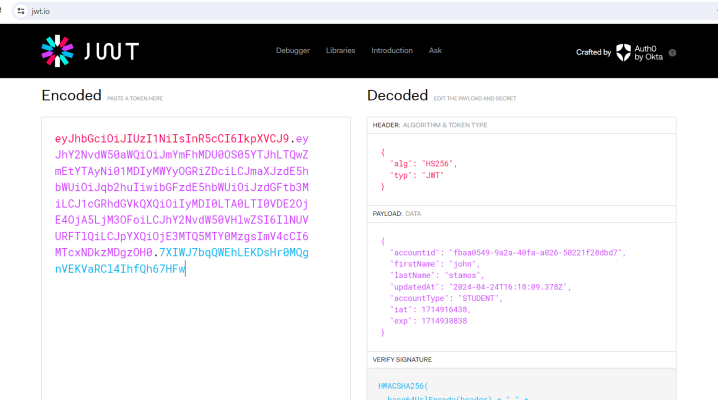
The Student JWT we will be using:
{"access":"eyJhbGciOiJIUzI1NiIsInR5cCI6IkpXVCJ9.eyJhY2NvdW50aWQiOiJmYmFhMDU0OS05YTJhLTQwZmEtYTAyNi01MDIyMWYyOGRiZDciLCJmaXJzdE5hbWUiOiJqb2huIiwibGFzdE5hbWUiOiJzdGFtb3MiLCJ1cGRhdGVkQXQiOiIyMDI0LTA0LTI0VDE2OjE4OjA5LjM3OFoiLCJhY2NvdW50VHlwZSI6IlNUVURFTlQiLCJpYXQiOjE3MTQ5MTY0MzgsImV4cCI6MTcxNDkzMDgzOH0.7XIWJ7bqQWEhLEKDsHr0MQgnVEKVaRCl4IhfQh67HFw"}
When we decrypt the Payload (using jwt.io) we get:
The Teacher JWT we will be using:
{"access":"eyJhbGciOiJIUzI1NiIsInR5cCI6IkpXVCJ9.eyJhY2NvdW50aWQiOiIwNDUwMWU1Ni0wODE0LTQyNjctYmI4Yy03Nzk2YmZjOGQ5MTIiLCJmaXJzdE5hbWUiOiJVbml2ZXJzYWwiLCJsYXN0TmFtZSI6Ikh1bWFuIiwidXBkYXRlZEF0IjoiMjAyNC0wNC0yNFQxNjoxOToxNy45MDlaIiwiYWNjb3VudFR5cGUiOiJURUFDSEVSIiwiaWF0IjoxNzE0OTE2NjE0LCJleHAiOjE3MTQ5MzEwMTR9.emIvZBIdrRK2W_9UGnsJtbIdlpbMLse6_fYMUrkRPgw"}
When we decrypt the Payload (using jwt.io) we get:
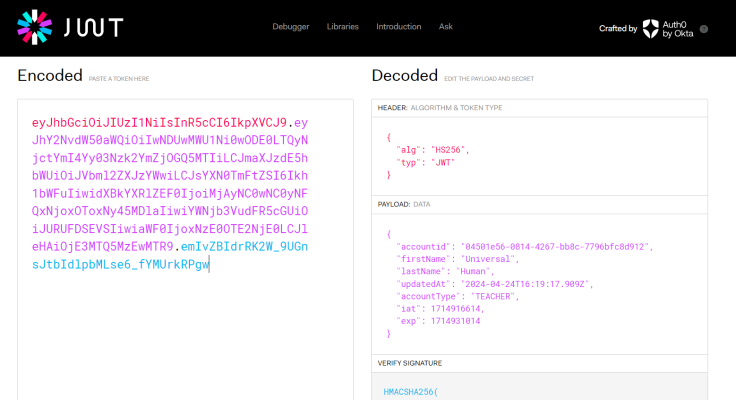
Note: The accountType in these payload matches the UserEnumTypes we defined in the middelware.ts file
Back to Login Page creation
Now let's create a folder /login and a page.tsx inside
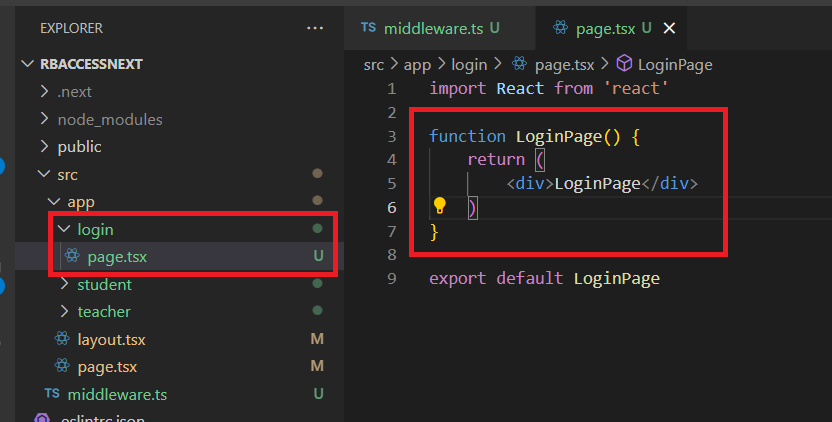
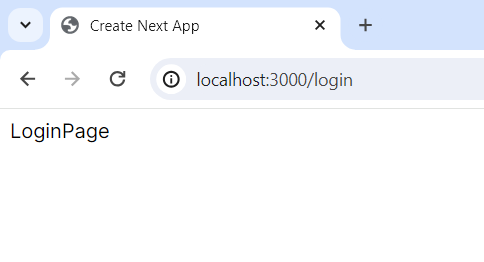
Now when we visit /student or /teacher we get redirected to /login which has:
Creation of Final User Interface
Our final user interface will look like:
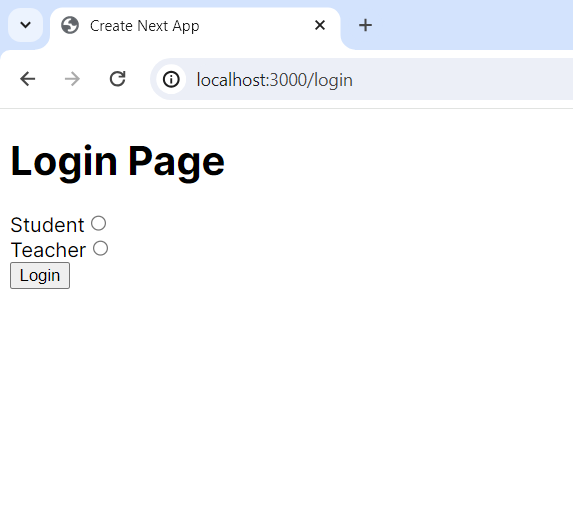
The code that designs and handles the final interface is attached below:
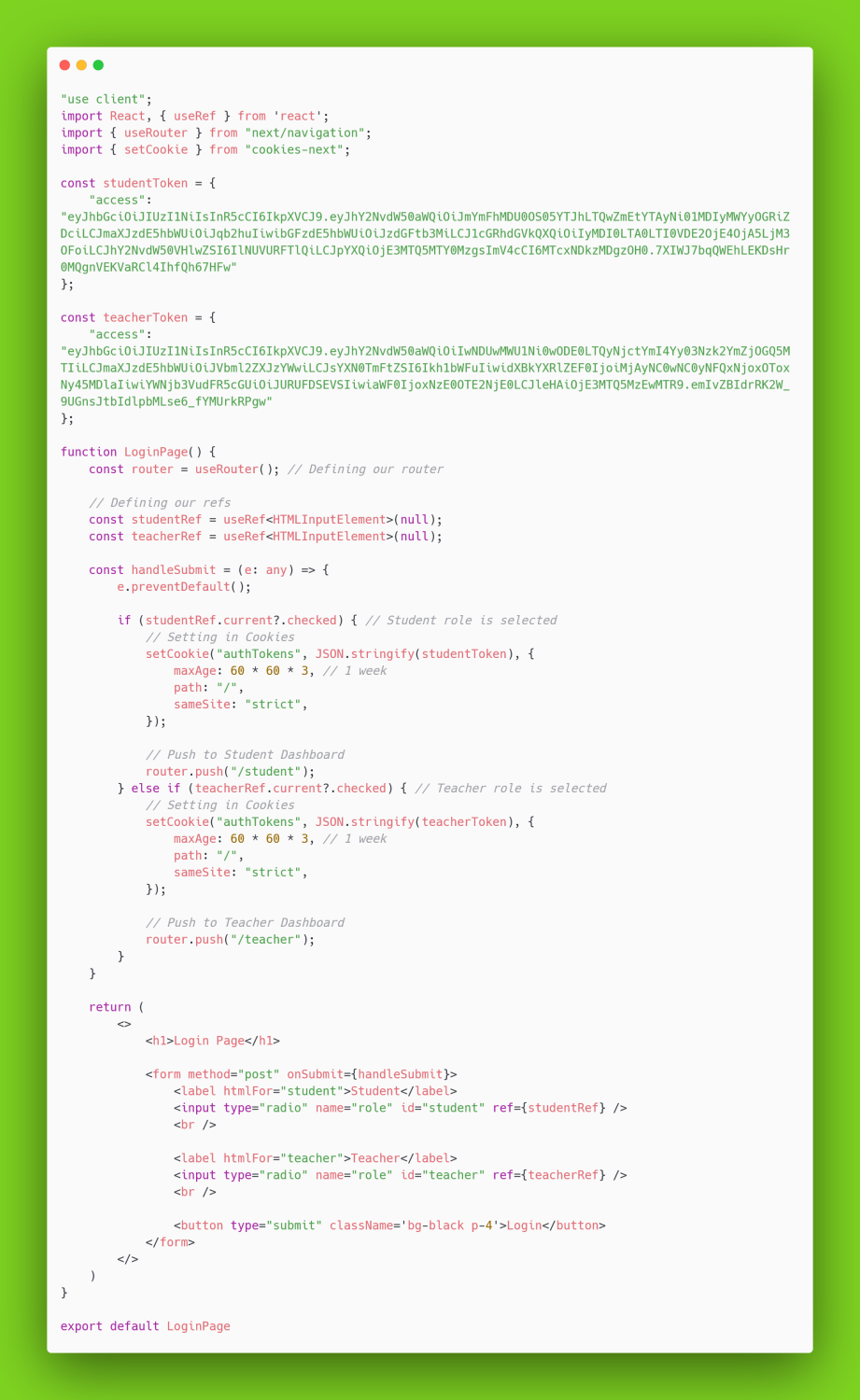
Testing Completed User Interface
Now when we click student and login:
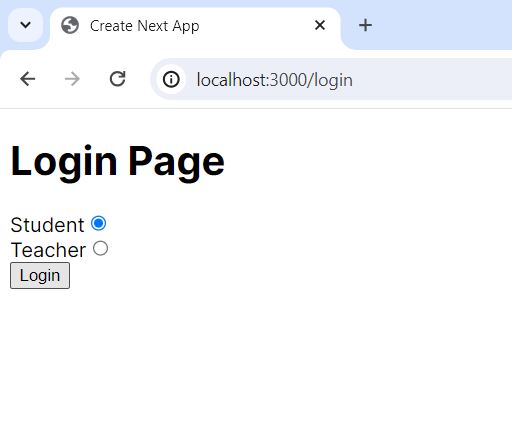
We get redirected correctly and can access /student:
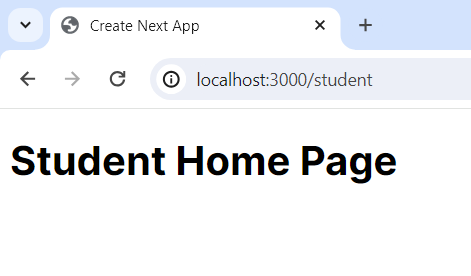
Redirection successful ✅✅✅✅.
Note:
- If we visit /teacher (or any other protected page we should not have access to) when logged in as a student we get redirected to /student the student dashboard.
- We cannot access /login when we are authenticated, we are redirected to the right dashboard based on our ROLE.
- We can only access the protectedRoutes in our WHITELIST, but we can access all routes not protected or in the loginURLS.
- This works same when we login as a Teacher or any other defined roles.
Conclusion
We successfully restricted page access when users authenticate based on their roles✅✅.
View the completed Github Repository.